Skip to content
FAIM is the technology partner of Mu Designs. Enquiries here are handled by Mu Designs.
Back to Mu Designs

Solutions / Smart event technology

Smart event technology solutions

Large events lose people in two ways: they get lost, and they get bored waiting for information. We build the wayfinders, touchscreen and kiosk applications and live data displays that fix both, and connect them so one team can change every screen from one panel.

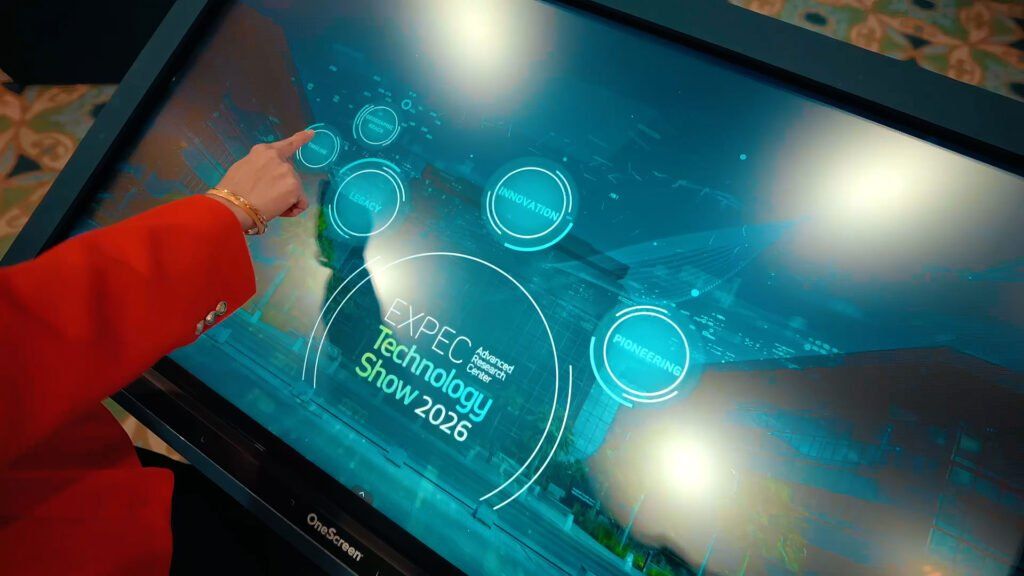
The multiscreen interactive hub we built for EXPEC ARC's technology show in Dhahran. Read the case study

The multiscreen interactive hub built by FAIM for EXPEC ARC

The visitor's side

What a visitor actually does

We map the venue first: the entrances, the decision points where people hesitate, and the places where information has to reach them.

  1. Finding the way They search once and walk A wayfinder shows the route to a hall, a stand or a session. Less time lost, more time in conversations.
  2. Exploring They touch rather than read Touchscreens and walls open research, products and stories on tap, built for the thirty-second visitor and the five-minute one.
  3. Staying informed The screens keep up Live data, schedules and announcements update across every display at once.

How it works

One core, every screen in sync

Pick a module to see what goes in, what it runs on and what comes out. Content is pushed from one panel and runs on a local network.

The FAIM Core is our way of drawing the software layer: content, AI, game logic and data in one place. It is a concept, not quantum computing hardware.

Interactive wayfinder

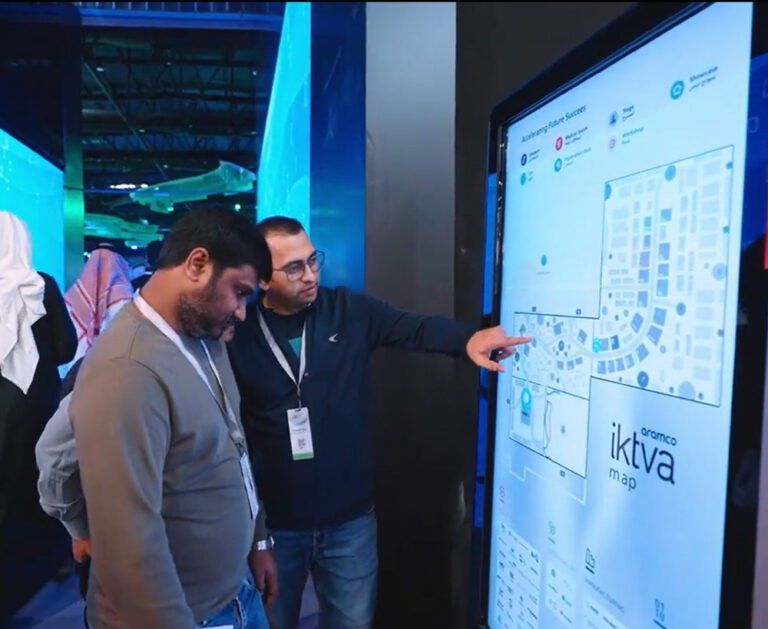
At Aramco iktva our touch wayfinder helped visitors find their way around a busy, high-profile event without confusion.

Inputs · Touch and search

Hardware · Touch totems at decision points

Software · FAIM wayfinding app with the venue map and agenda

Interaction · Search, tap, follow the route

Outputs · What people searched for, and when

COMPASS product Live demo Aramco iktva case study

Interactive wall

A large touch surface turns a corridor or a stand into something people explore, instead of a poster they walk past.

Inputs · Touch and presence

Hardware · LED or projection wall with touch frame

Software · FAIM touch application on the shared content panel

Interaction · Several people at once

Outputs · Touches and most-opened content

WALL product Live demo

Multi-user touch table

Some content is better explored together. A touch table lets a small group open a portfolio around one surface.

Inputs · Multi-touch, objects placed on the table

Hardware · Large touch table

Software · FAIM table application

Interaction · Drag, open, compare together

Outputs · Sessions and content opened

NEXUS product

Real-time data display

At EXPEC ARC we synced content, data and media across a multiscreen hub so presenters and visitors saw one coherent picture.

Inputs · Live data feeds, presenter control

Hardware · LED or display walls

Software · FAIM sync engine and content orchestration

Interaction · Presenters drive it, visitors explore it

Outputs · One picture across every screen, no lag

EXPEC ARC hub case study · How multiscreen sync works

Mobile companion

The visitor's own phone carries the map and the agenda home, through a QR code, with nothing to install.

Inputs · QR code on any screen

Hardware · The visitor's own phone

Software · Web app sharing the event data

Interaction · Scan, keep the route and agenda

Outputs · Scans and pages opened

POLARIS product Web and application development

One content panel

Your team changes a schedule or a message once and every screen updates, during the event.

Inputs · Edits from your team

Hardware · A laptop on the event network

Software · FAIM admin panel and live dashboard

Interaction · Change once, publish everywhere

Outputs · Usage per screen, exports at close

CORTEX product Live demo

Technologies and options

Choose the pieces your venue needs

Every build starts from systems we have already engineered, then is tailored to your brief. Start with the pieces that fit your space and budget.

Navigate

  • COMPASS Guide visitors to stands and sessions
  • POLARIS Navigation on totems, mobile and signage

Touch

  • WALL Large canvas that reacts to touch
  • NEXUS Multi-user touch table
  • ROYALE Matched family of premium touchscreens

Display

  • MOSAIC Moderated live social wall
  • OLYMPUS Command room for real-time operations

Platform

  • IMPERIUM Automates registration, flow and reporting
  • CORTEX AI layer and live insight

See all 76 in the product catalogue, or try 16 of them in the Interactive Lab.

Start small, add modules later

  • One proven system One wayfinder or touchscreen, a proven FAIM system with your map and content. 5 to 10 working days
  • A connected setup Wayfinders, touchscreens and data displays on one content panel. About 4 to 6 weeks
  • Flagship environment A venue-wide system with live data feeds, central control and custom builds. 6 weeks and more

Each module is its own line in the quote, so you can add or drop one without the rest changing. Modules can be reused at your next event with new content.

Events where we did this

Interactive HUB built by FAIM at Aramco EXPEC

Wayfinder at Aramco iktva

FAIM designed a touchscreen wayfinding application helping visitors explore locations, content and event information at Aramco iktva.

  • Touch wayfinding
  • Event content
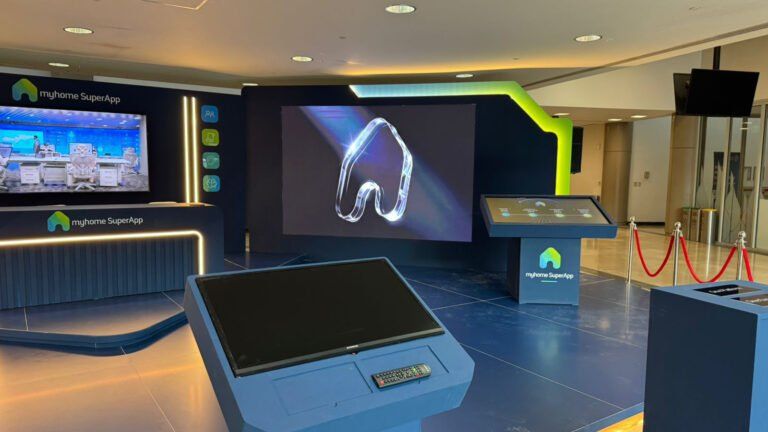
The myhome SuperApp launch stand built by FAIM for Saudi Aramco

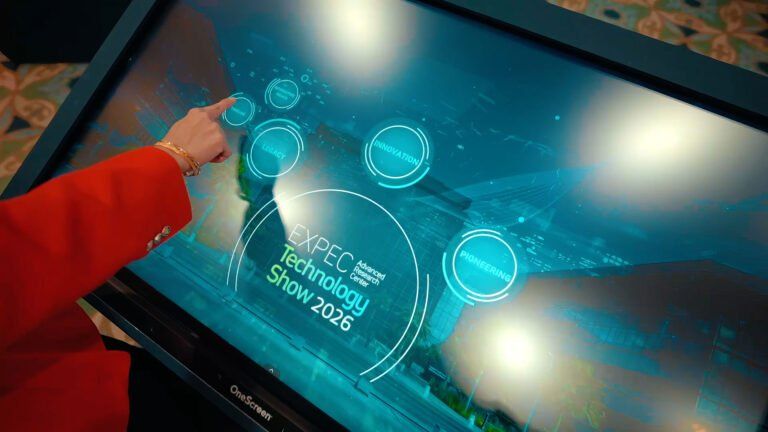
Interactive HUB at Aramco EXPEC

FAIM developed a multiscreen interactive HUB for the EXPEC ARC Technology Event 2026 at the Technical Exchange Centre in Dhahran, Saudi Arabia.

  • Multiscreen system
  • Interactive content

myhome SuperApp: giving a digital platform a physical front door

FAIM created the touchscreen application, interface design and full-stand screen content for the Saudi Aramco myhome SuperApp launch.

  • Touch application
  • Interface design
  • Screen content

Background reading: designing touchscreens for an exhibition floor and digital twins for event planning.

Why FAIM

Practical reasons, not promises

  1. 01 One team, start to finish The same people design the experience, build the software and content, specify the hardware and stay on site while it runs.
  2. 02 Built on proven systems We start from systems we have already engineered, so your budget goes on your content and your audience, not on reinventing the basics.
  3. 03 A quote you can adjust Line-item pricing per module. No bundled numbers.
  4. 04 Works when the Wi-Fi does not Everything runs on its own local network, with content on the devices.
  5. 05 Arabic and English as standard On every screen, every AI host and every film.

Questions

Questions clients ask

Is the software off the shelf?

No. Every interactive application is built for the specific brief, the specific hardware and the specific venue.

Can the wayfinder run on visitors' phones?

Yes. The same map runs in the phone browser from a QR code, with no app to install.

Can you connect to our live data?

Yes. Spreadsheets, APIs and plant systems. If the source drops, the display holds the last value with a timestamp rather than going blank.

Do you deliver in Arabic?

Yes. Bilingual Arabic and English delivery is standard across our interactive applications.

Who owns the work?

The client owns the delivered assets. FAIM retains its own underlying tools, frameworks and reusable systems.

Plan your venue

Send the venue and the visitor count.

We will come back with where the screens should go, a line-item scope and what it takes to have them running on the day.

Related: AI reception and registration · AI exhibition booth · Web and application development

Mu Designs × FAIM

Talk to Mu Designs about this

Mu Designs works with FAIM on events, exhibitions and launches across Bahrain and Saudi Arabia. Tell us your date and venue, and we will bring the right technology together with the branding, print and build.